See your members and email them
Find who joined and how active they are, invite new members, add free members, and send an email to all or some of them.
See your members
Go to Admin, then Members. Search by name or email, or filter, for example with Paying to see only paying members.
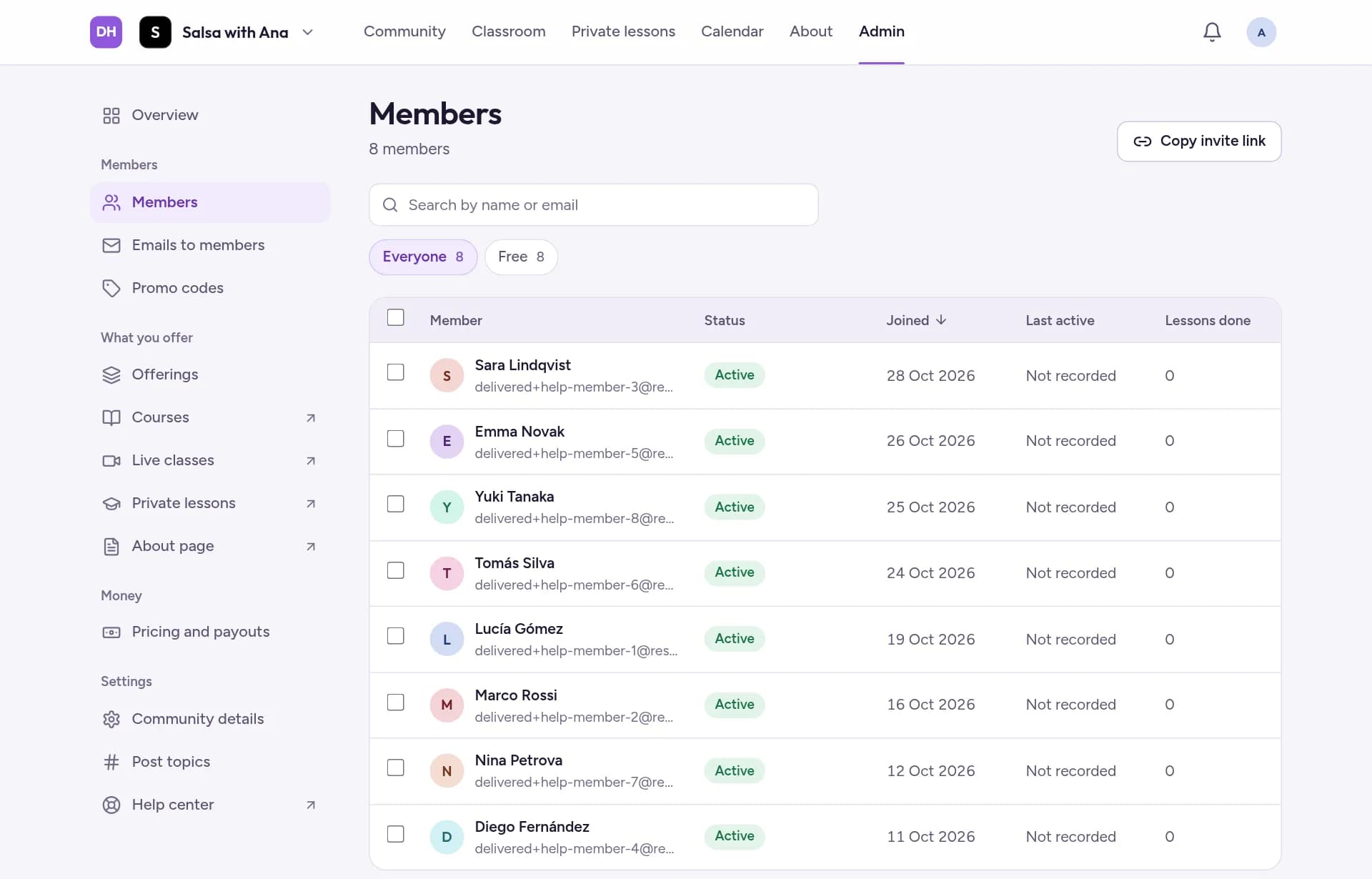
Tap a member's name to see when they joined, their plan and their activity. From there, Email writes to them, and Remove from community takes their access away right away and cancels their membership if they pay. They can join again later.
Invite new members
Tap Copy invite link and paste it under your YouTube videos, on Instagram or in an email. The link opens your About page, where people join.
Add a free member
In a paid community that's open, you can give up to 10 people a free membership, for example someone who helps you edit your videos. They get full access and are never asked to pay. Invites still waiting for an answer count toward the 10.
Go to Admin, then Members, and tap Add a free member.
Enter their Email and, if you like, a Personal note for the email they get, then tap Add free member.
If they already have an account, they're in right away. If not, they get an invite to sign up, which works once and expires after 30 days. Under Free members, you can Resend it with 30 new days, or Cancel it to free the spot.
Email your members
Go to Admin, then Emails to members, and tap New email.
Under Send to, choose who gets it: All members, Paying members or Members who are canceling. Members who turned off community emails don't get it. Then write a Subject and your Message.
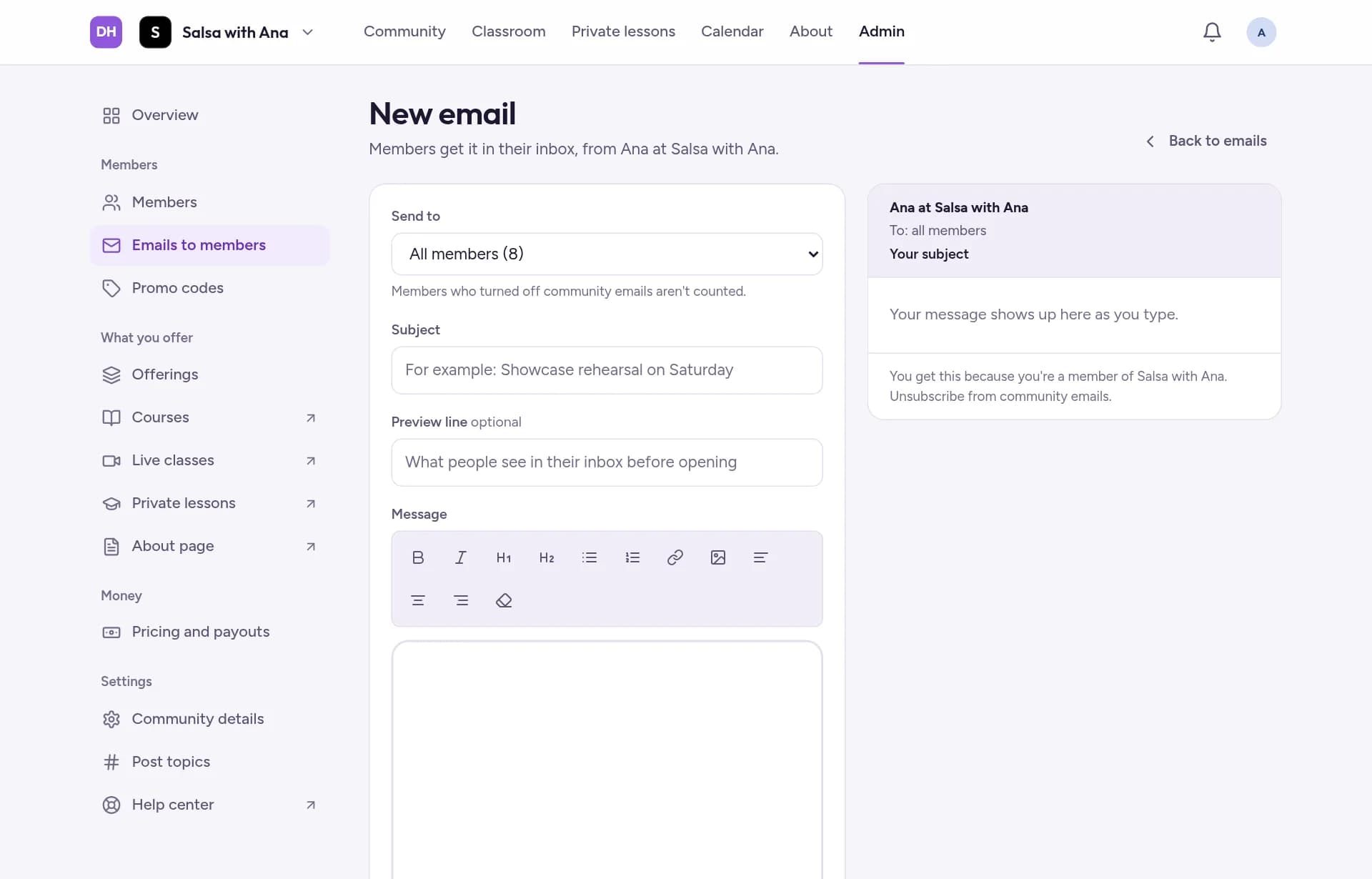
Tap Send me a test to see it in your own inbox first. Then tap Send to 12 members (with your own number) and confirm with Send now. Once sent, an email can't be unsent.
Your community can send 10 emails a month for free, and tests don't count. Once they're used, the button reads Upgrade to send and offers a monthly plan for unlimited emails, which you can cancel anytime.