Give a discount with a promo code
Create a code that takes a percentage or an amount off your membership, for the first payment or the first few months.
Create a code
Promo codes work on paid memberships, so set your price first. To let someone in for free with no card, add a free member instead.
Go to Admin, then Promo codes.
Under Create a code, write the Code people will type, for example WHISPERS15.
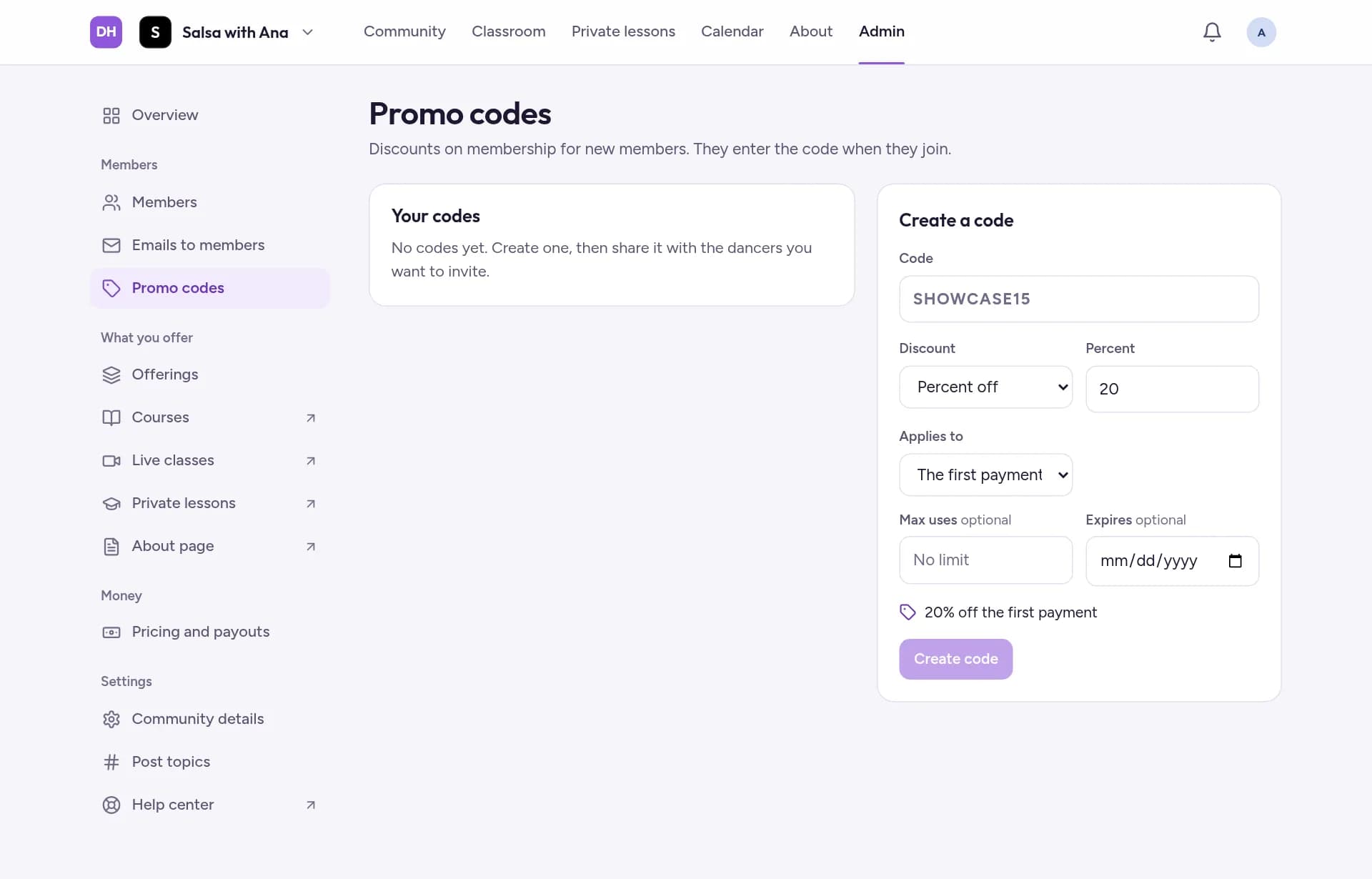
Choose the Discount: Percent off, or a fixed amount off in your community's currency, then enter the Percent or the Amount. Under Applies to, choose The first payment, or The first few months and how many Months.
If you offer a yearly plan, choose which plan the code works on under Which plan can use it?. Optionally, set Max uses and an Expires date. Check the summary line above the button, then tap Create code.
How members use it
Share the code with the people you want to invite, for example in your YouTube video descriptions. When they pay to join, they tap Do you have a promo code?, type the code and tap Apply. The discount applies to their membership.
Manage your codes
Your codes are listed under Your codes, with how many times each one was used. Tap Turn off to pause a code, and Turn on to bring it back. Once you delete a code, nobody new can use it, and members already using it keep their discount.